
Best Alternatives to Photoshop for Mobile Photo Editing
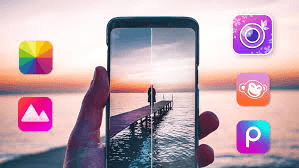
When it comes to photo editing, Adobe Photoshop has always been the first name that comes to mind. But let’s be honest—Photoshop isn’t always the best choice for mobile users. It’s heavy, requires a subscription, and can be overwhelming for beginners.
Luckily, there are plenty of amazing Photoshop alternatives for mobile photo editing that are lightweight, easy to use, and even free. Whether you’re a professional designer or just someone who wants to enhance selfies, these apps can help you edit like a pro—without the complexity of Photoshop.
1. Hypic Pro – The All-in-One Creative Editor
If you’re looking for a smart and simple Photoshop alternative, Hypic Pro is one of the best options out there.
It’s a feature-packed photo editor designed for mobile users who want professional-level editing without spending hours learning advanced tools. From AI-powered filters to creative overlays, Hypic Pro makes editing fun, fast, and effective.
Key Features:
- AI-based one-tap enhancements
- Advanced filters and presets
- Layer editing and creative effects
- Lightweight and easy-to-use interface
For anyone who doesn’t want the hassle of complex software, Hypic Pro offers the perfect balance between power and simplicity.
2. Snapseed – Google’s Professional Editor
Snapseed is another strong Photoshop alternative, built by Google. It’s free, powerful, and offers over 29 editing tools, including RAW editing support.
Highlights:
- Healing tool for spot removal
- Advanced curves and tonal adjustments
- Wide range of filters for creative editing
- Professional control in a mobile-friendly design
3. Pixlr – Fast & Fun Editing
Pixlr is known for its simplicity and speed. If you need quick edits like removing backgrounds, adding text, or applying overlays, Pixlr gets the job done in seconds.
Highlights:
- Thousands of filters, borders, and overlays
- Auto-fix and color correction tools
- Free to use with premium upgrades
4. Lightroom Mobile – Perfect for Color Correction
Adobe Lightroom Mobile is another excellent alternative, especially if you love playing with color tones, lighting, and presets. While it’s part of the Adobe suite, it’s lighter and much easier to use than Photoshop.
Highlights:
- Advanced color grading
- RAW photo support
- Cloud syncing across devices
5. VSCO – Filters for Aesthetic Lovers
If your main focus is giving photos a creative, aesthetic look, VSCO is a must-have. It’s famous for its signature filters that can transform even the simplest photos into stunning visuals.
Highlights:
- Library of cinematic filters
- Editing tools for exposure, saturation, and grain
- Built-in photo-sharing community
6. Canva Mobile – Editing + Graphic Design
Canva isn’t just for presentations—it’s also a fantastic tool for photo editing on the go. With drag-and-drop simplicity, Canva makes it easy to edit photos, add text, and create social media content.
Highlights:
- Pre-designed templates
- Easy text overlays and graphics
- Cloud storage for your designs
Conculsion
Photoshop may still be the industry standard, but it’s no longer the only powerful option for mobile users. Apps like Snapseed, Lightroom Mobile, Pixlr, and VSCO bring professional editing to your fingertips.
But if you want an editor that’s lightweight, packed with smart tools, and perfect for quick yet professional edits, then Hypic AI Photo editor is one of the best choices. It’s simple enough for beginners yet powerful enough for advanced users who want studio-quality results right from their phones.